01
Publish
Article goes live. The CMS supplies title + clean body — no page scraping.
Your CMS sends clean article text at publish. A Mac beside editorial synthesizes listen-audio in Dutch and — via optional auto-translate — in other languages, with a choice of female or male voice. Articles stay in-house: no cloud TTS, no unknown servers. We deliver an audio player, an API, or both — whatever your apps and site need.

Flow
Article goes live. The CMS supplies title + clean body — no page scraping.
Synthesis on a Mac on your network. Article text does not go to ElevenLabs or other cloud TTS — it stays with you.
We deliver an embeddable audio player (+ playlist), a publish/status API for your own apps, or both — matched to your stack.
The system randomly samples audio, learns from pronunciation and quality, and continuously improves the lexicon and speech.
Article edited? When editorial updates the piece, audio can be regenerated — the same publish step with the new text, so listeners always hear the current version.
Generated audio is yours: freely use and distribute it via website, apps, podcast feeds, smart speakers, and other software — you choose the channel.
Privacy & control
Article text does not leave your office to a third party. No ElevenLabs, no big-tech speech cloud, no servers “somewhere” whose location you do not know. Speech runs on-prem with you — Mac and adapter on your network, under your security and data control.
No article text sent to external speech vendors or unknown SaaS.
Hardware and software sit where you put them — your building, your network, your rules.
MP3s and CDN are yours; you decide distribution to site and apps.
Hardware
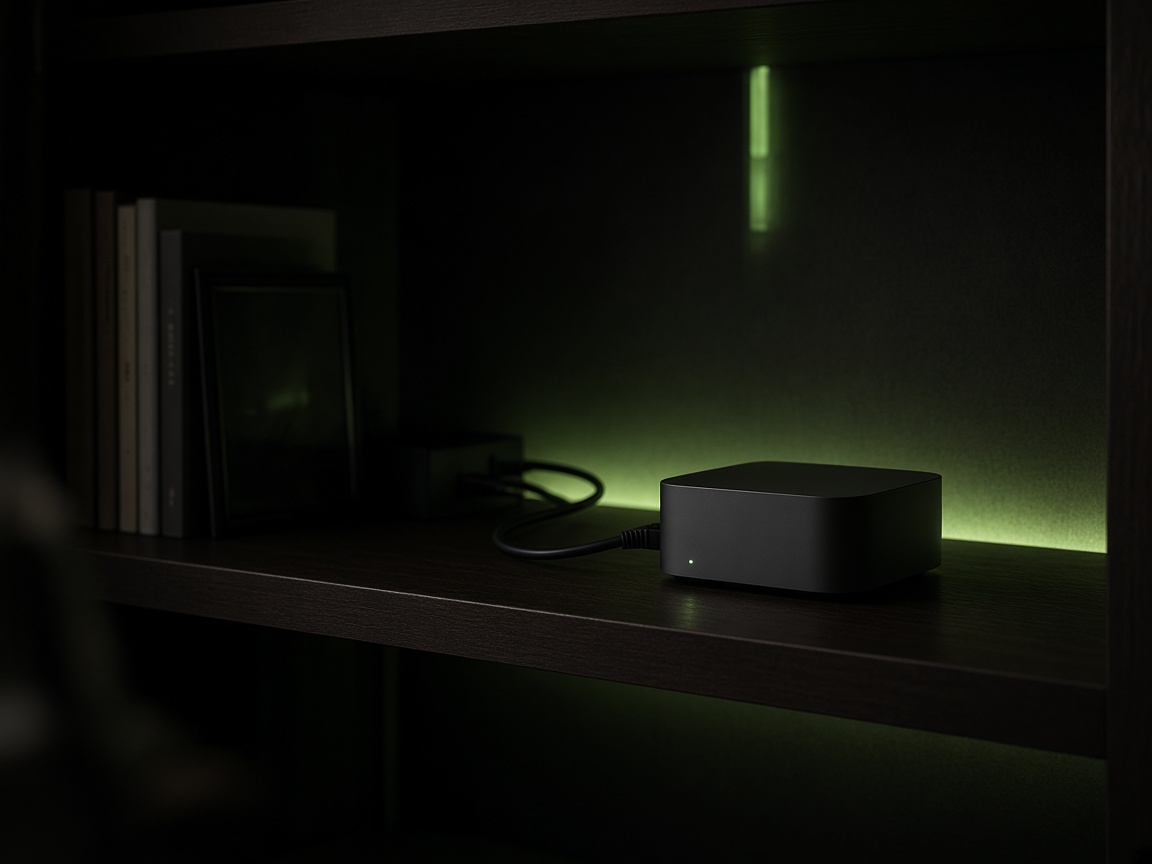
Speech runs locally on Apple Silicon next to editorial — not a GPU rack in the cloud. We recommend a Mac mini or Mac Studio with M4 or newer: enough unified memory and Neural Engine for news articles inside your go-live SLA, quiet and efficient enough for 24/7 next to IT.
Modern neural voices need unified memory and Apple Silicon acceleration. M4 (and newer) has the headroom for long articles, voice variants, and optional auto-translate on the same box.
At peaks (several lives at once) the queue waits on one active generate. Stronger chips shorten time-to-ready — critical for “article live → quickly listenable”.
A Mac mini/Studio fits a newsroom or IT corner: low heat, low power, no datacenter noise. Always-on queue without exotic AI hardware.
Standard Apple gear: MDM, network ACLs, procurement and support you already run. No public port required — only LAN/VPN to the adapter.
Lighter chips can work for a small demo; for production volume and failover we advise M4 or newer. Exact SKU (mini vs Studio, memory) is locked in Discovery from articles/day and peaks.
Delivery
Not every publisher wants the same front end. We match your needs: ready-made player, API-only for your apps, or the combination.
Embed module with play/pause, speed, playlist/queue — your team mounts it in the website or an app webview.
Publish and status API: your CMS and apps request audio, poll until ready, play or cache themselves.
Player for the site, API for native apps, podcasts, or other software — one speech backend.

Voice & language
Optional auto-translate turns the article into another listen language before speech starts — not only English, but other languages too. Listeners (or editorial) pick a female or male voice — same pipeline, your brand voices or stock voices.
CMS source text → translated speech text → audio in the chosen language (English or others).
Choice per article, per language, or as a site default in the listen module.

Listen
Real articles from our demo site — Dutch and other languages (demo includes English). Play the audio and open the source article.
For demonstration only. Article text and rights remain with the publisher.
Open demo siteQuality
After audio generation, the system randomly checks pieces of audio. Findings flow back into pronunciation rules and speech quality — a self-learning system that grows with your newsroom, without listening to every article by hand.
Two layers
Publish → clean text → (optional translate) → MP3. All on-prem with you — no article text to ElevenLabs or other cloud TTS. Failover-ready, normalization, voice choice, plus a self-learning loop.
Embeddable audio player + playlist, and/or an API that feeds your own player, apps, and other software. Serves only your audio URLs — never scrapes the page.
Offer
Typically 2–3 weeks from kickoff. Discovery is a fixed fee — not open-ended hours — aimed at a binding Pilot quote. The amount follows after intake.
Included: kickoff (~90–120 min) with product + platform; technical sessions on how clean CMS text arrives at go-live; volume (articles/day, peaks, text length) → Mac sizing and feasible SLA; player module vs API (or both); failover choice (backup Mac or dedicated backup drive).
Deliverable: short findings (topology, API fit, player sketch, risks) plus a fixed Pilot price. No production install in Discovery; no browser extension that scrapes the page — text comes from the CMS.
Duration 4–8 weeks from Pilot kickoff, depending on network access, Mac delivery, and CMS wiring. Price is fixed after Discovery — no surprise hardware line for the failover unit.
Included: on-prem speech stack on the primary Mac path, adapter/queue, publish and status API, staging and production smoke. Inside that price, failover is guaranteed: either a second Mac or a dedicated backup drive — locked in Discovery.
You usually buy the primary Mac; the backup Mac or drive sits inside the Pilot speech fee. Out of scope unless agreed separately: full CMS rewrites, CDN build-out by us, or 24/7 on-call outside business hours.
Extra 2–4 weeks that can partly overlap Pilot speech. Fixed price after Discovery, based on template complexity and branding.
We deliver the embeddable audio player (play/pause, speed, playlist/queue) plus an integration guide; together we mount it on one article template. Language and voice choice (female/male) can live in the module.
Prefer your own UI? We supply API docs and examples so your apps or site player only fetch audio URLs and status — no DOM scrape. You keep ownership of audio and distribution.
Annual retainer that starts after Pilot: updates to the stack and (if purchased) player module, lexicon/pronunciation care, support in business hours. Price on request.
Failover stays in the runbooks (backup Mac or drive from Pilot). No separate surprise for that coverage while care runs — still tied to the hardware choice you locked in.
Outside standard care unless agreed: overnight 24/7 on-call, large features off-roadmap, or formal security certification. Those can be scoped in Discovery or at renewal.
Optional: brand-voice train (one-shot, price on request). Primary Mac usually purchased by you; backup Mac or backup drive is included in the Pilot speech price (choice locked in Discovery).
No price list on the site — after a short conversation you receive a fixed quote tailored to scope, volume, player/API, and failover.
Next step
Ninety minutes with product + platform: text path, player or API, fixed Pilot quote.
Get in touch